What's new in the app
Every update in plain words, newest first, with the screens that changed. When one is ready, the app tells you. You can also look in Profile, then About & updates.
Latest published release: .
1.8.0
Latest
A new opening and a sharper icon
Look and feel
- A new opening animation: your name slides in under the logo, with no jump after Android's own splash
- The app icon is sharper on every phone and follows your theme on Android 13 and up
- The opening is shorter and still when your phone has animations turned off
1.7.0
A calmer Home and a tidier My day
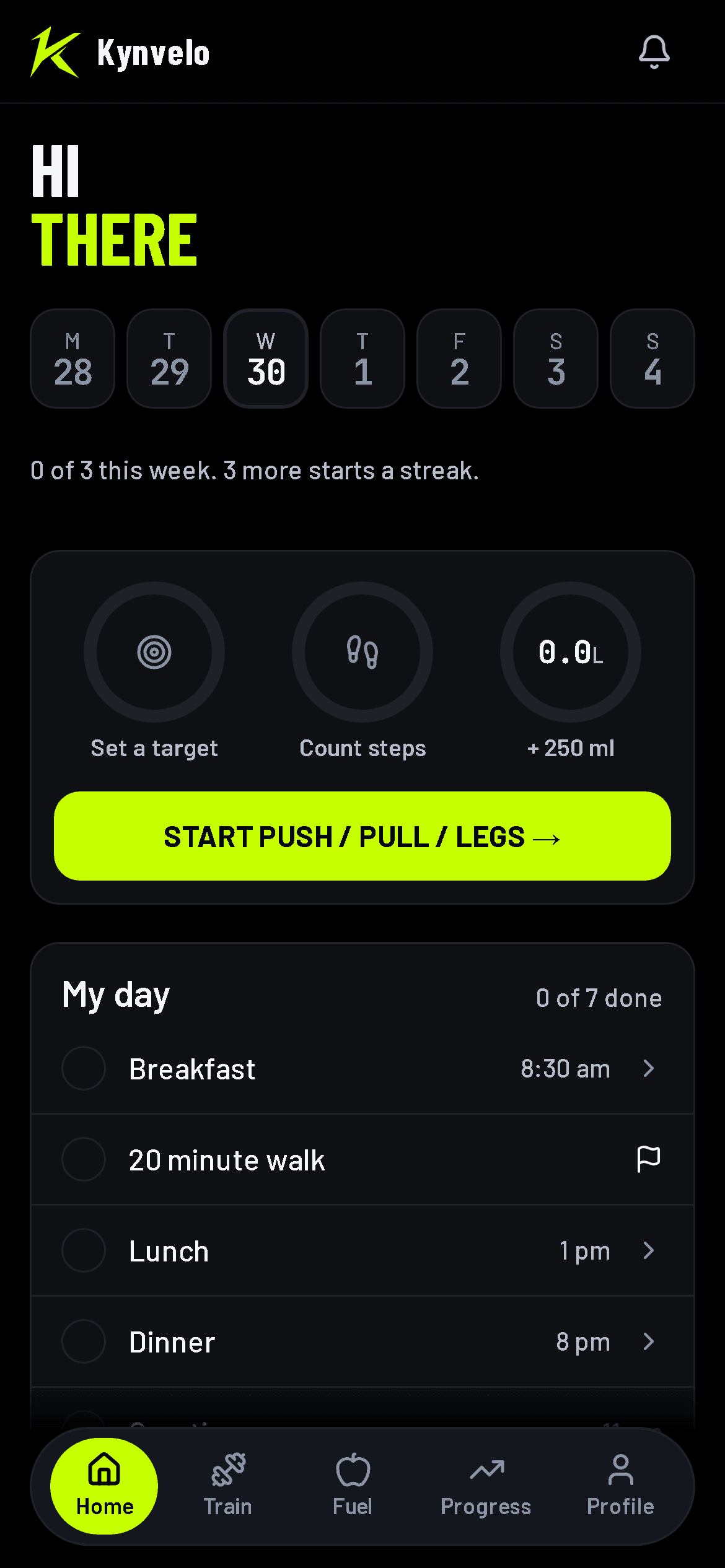
One card, then My day
Your week, then calories, steps and water with Start workout in one card. My day sits right under it.
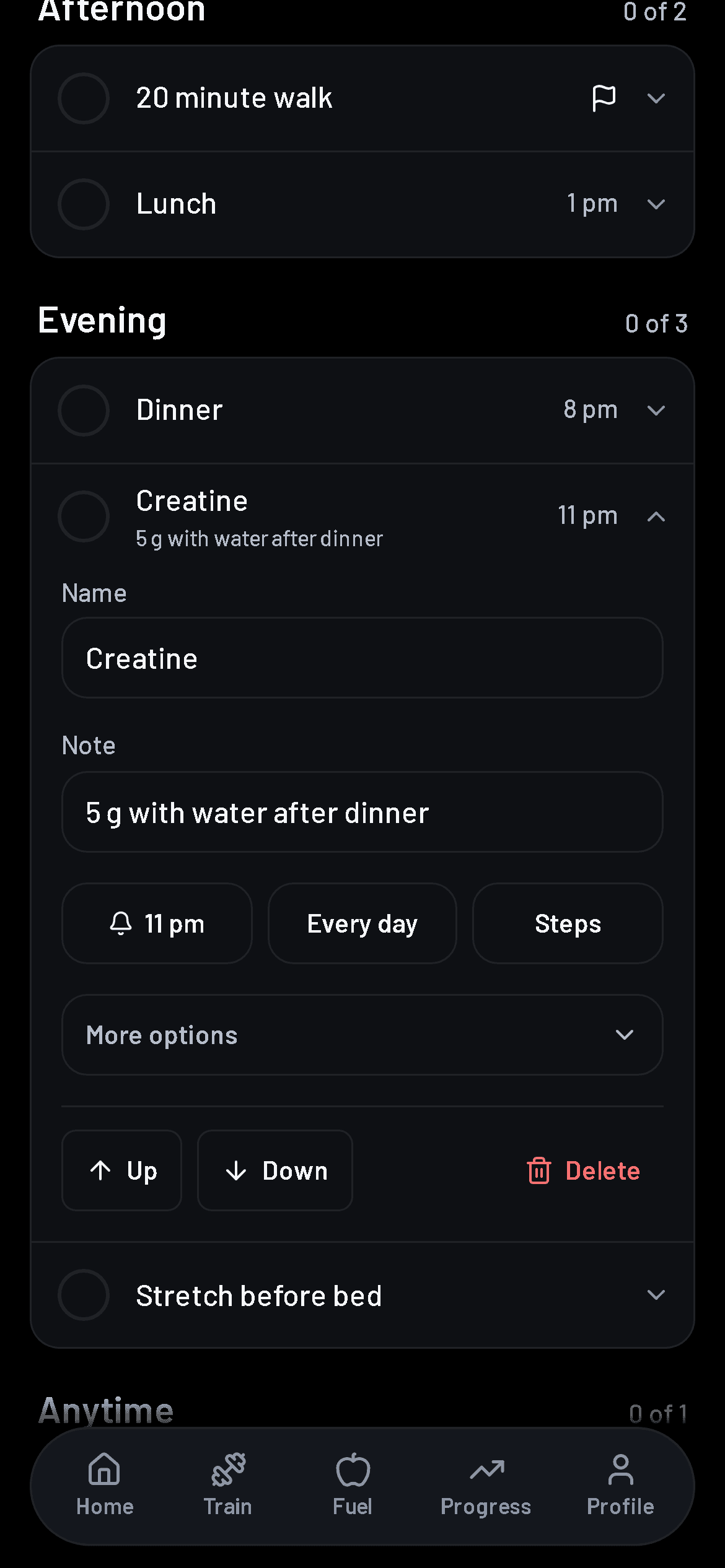
Tap a line to open it
The tick is its own button. Tap the words to open the line and add a note, a time, how often it repeats or a steps target.
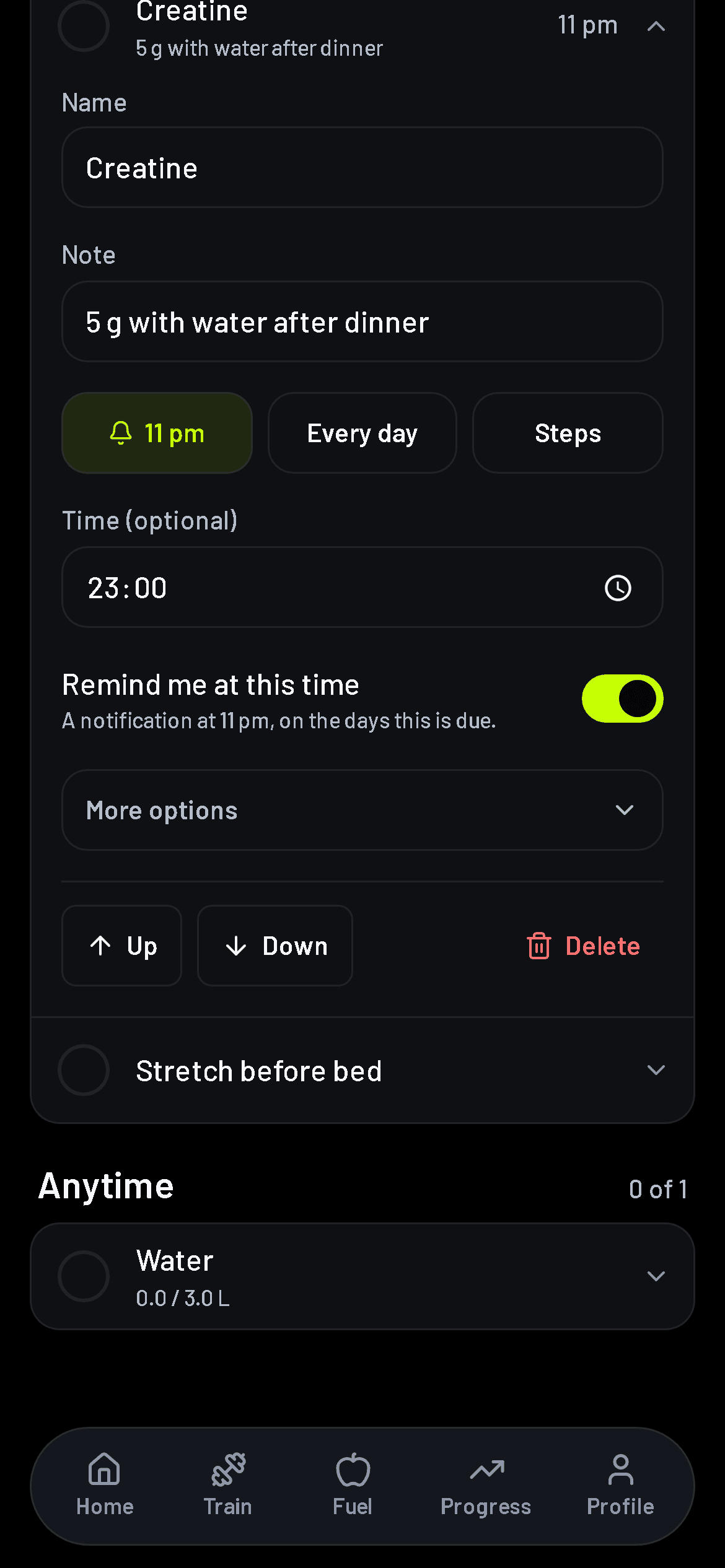
A reminder at a line's time
Give a line a time, then turn on Remind me at this time. A notification arrives then, on the days the line is due.
Also in 1.7.0
My day
- Add a note, a colour tag, a Do first flag, a steps target and how often it repeats to any line
- Three starter lists to begin with: gym day, rest day and supplements
Food
- Food search no longer shows old scans above the popular dishes
Look and feel
- Buttons and links are easier to tap, and small text is easier to read
1.6.0
Your day on one list, and sets you can say out loud
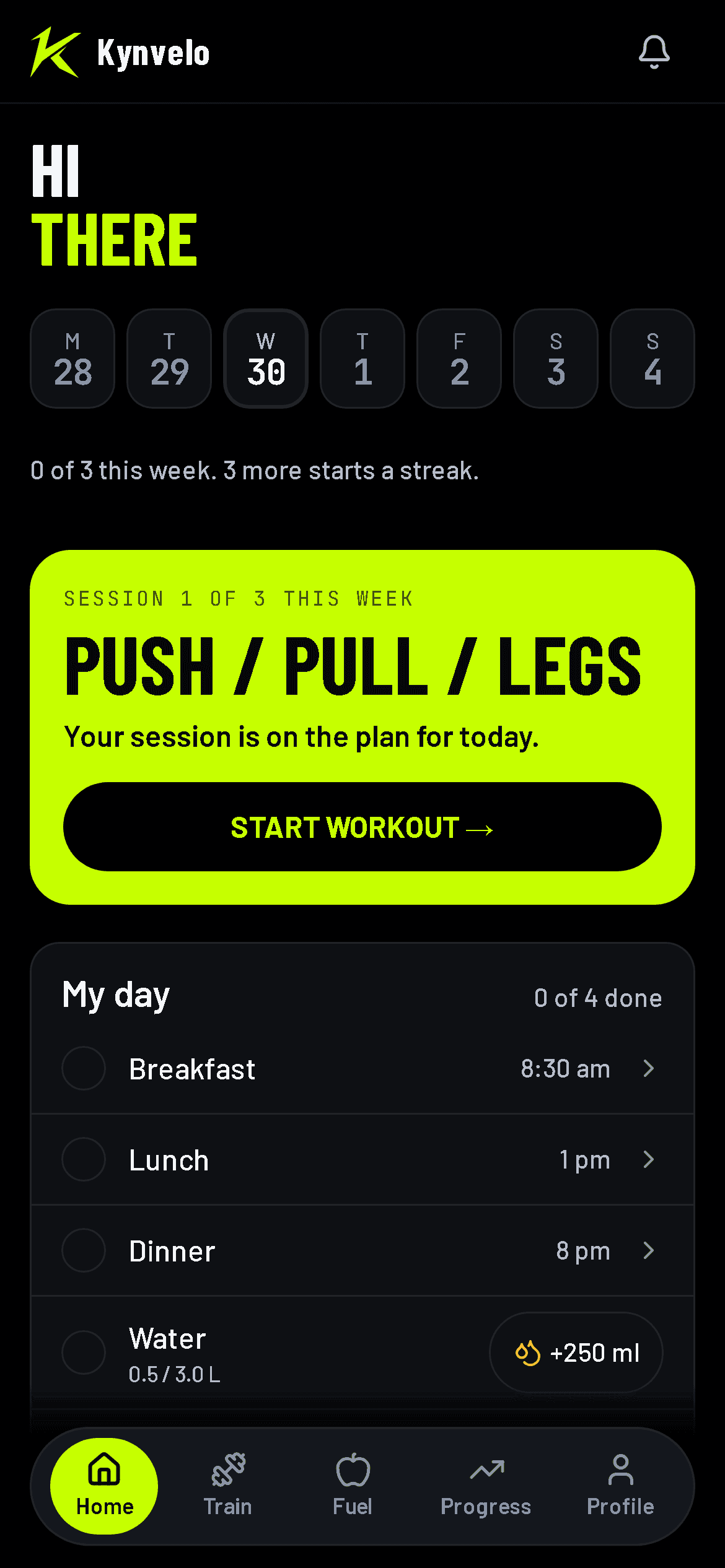
My day ticks itself
Log a meal, a glass of water or your weight and its line ticks. Add your own lines for anything else, like creatine or a walk.
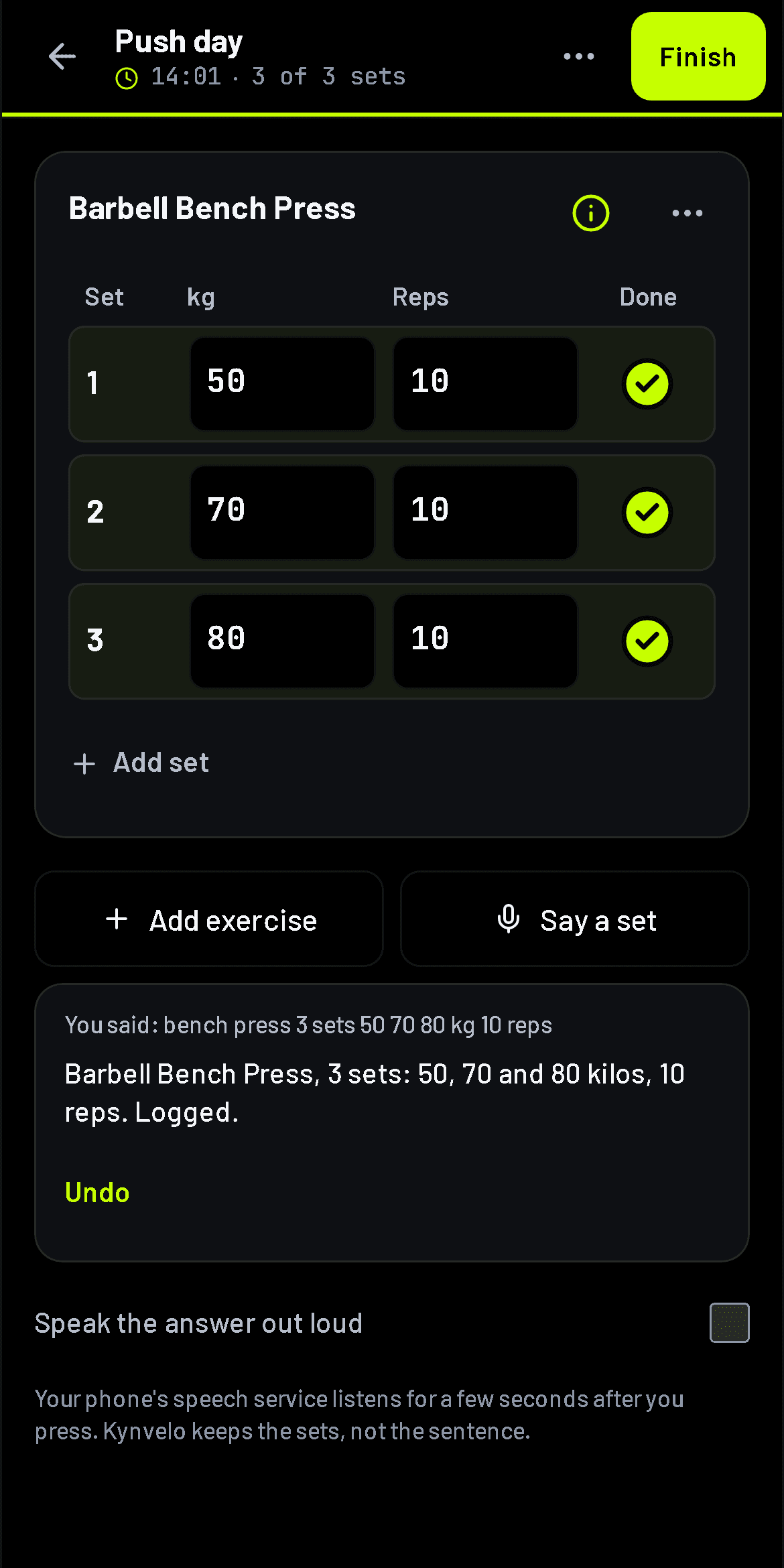
Say a set, it is logged
Tap Say a set and speak it. Kynvelo logs the set, shows what it heard, and has Undo if it heard wrong.
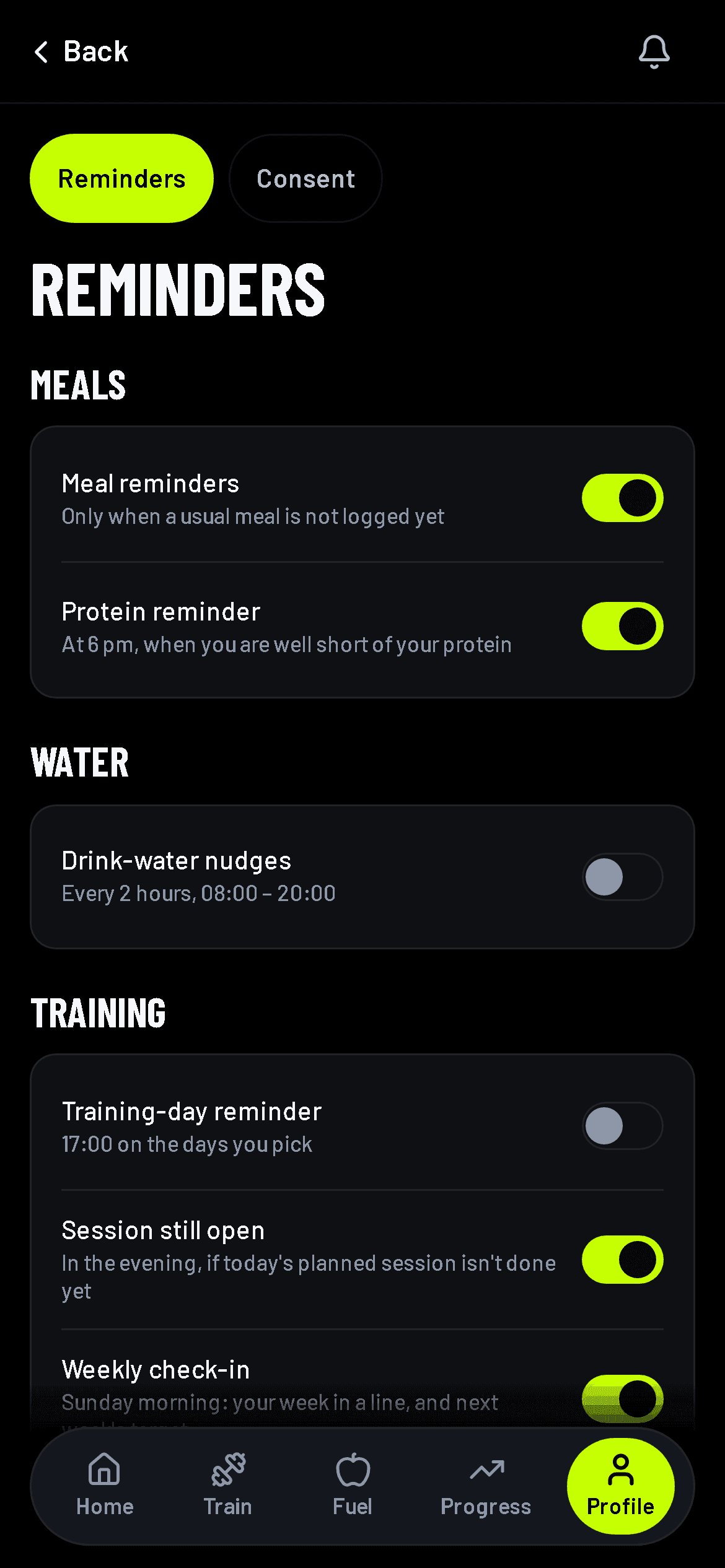
Reminders that fit you
A nudge to come back after a few days away, praise for milestones, a planned session still open, and your week on Sunday. Each one has its own switch.
Also in 1.6.0
Steps and cardio
- Your steps are saved every day, leave out rides on a bike or bus, and keep counting at night
- Cardio shows your week or month, and you can log a past session from one button
Reminders
- One Reminders screen, grouped by topic
Look and feel
- Home, Train, Progress and food search are tidier, and every button is easy to tap
- Times and dates match your phone
Food
- Food search shows the portions people eat and adds them in one tap
Workouts
- Each exercise has a how-to you can open during your workout
For gym owners
- Gym owners: add staff, edit plans and prices, manage the shop, and open any member's file
1.4.1
Three questions and you're in
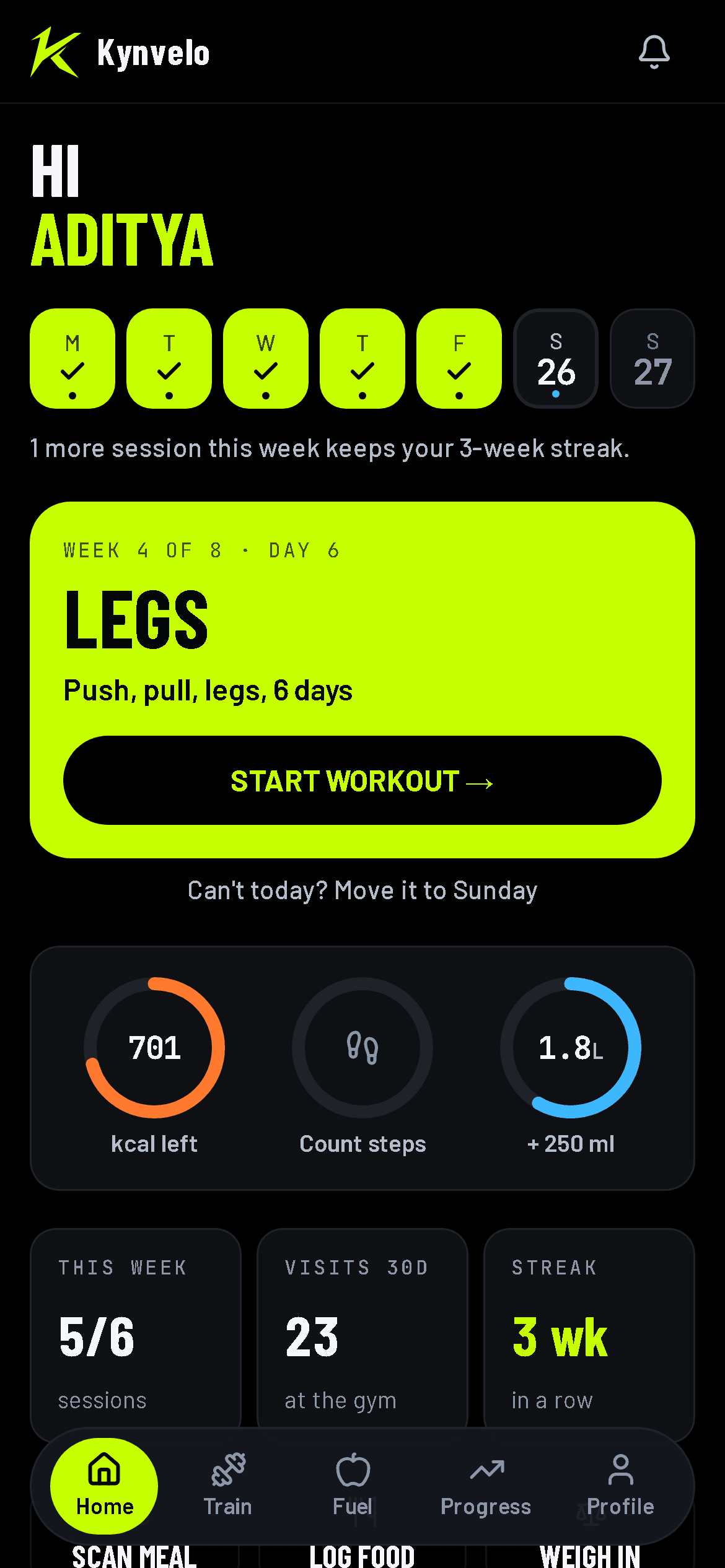
Your week comes first
Home opens on your week, then today's workout, then your calories, steps and water.
Also in 1.4.1
Getting started
- A quicker start: three questions and you're in. Finish your profile whenever you like
Look and feel
- Search boxes look cleaner when you tap them
Food
- Typing a meal tries again if it's busy, and tells you clearly if it can't read it right now
1.4.0
A new look, built for the gym floor
Look and feel
- A new look: bolder, darker and easier to read at the gym
- A new welcome screen when the app opens
Steps and cardio
- Calories burned from your steps, based on your own weight and height
- Step challenges with your gym
Your data
- Back up your progress photos, locked with a password only you know
Your gym
- See your locker and other extras on your membership
1.0.0
Scan history, and more nutrients
Food
- Scan history: log a scanned meal later, or look back at what you scanned
- Cleaner scan results, with fibre, calcium, iron and eight more nutrients
- More nutrients under the rings on the Fuel screen
Account
- Notifications from Kynvelo, including when a new version is out
- Google sign-in returns to the app properly
Your gym
- No gate pass when you train on your own